🛰️Zafer Satılmış - Aviora

RigelMq — JSON Over MQTT

RigelMq is the Aviora gateway’s JSON-over-MQTT control plane: human-readable messages, a standard MQTT broker in the middle, and the same meter/job backend concepts as other Aviora protocols. It fits deployments where the back office already uses MQTT (cloud IoT hubs, on-prem brokers, TLS bridges) instead of raw TCP push/pull sockets.

The gateway subscribes to avi/request for commands and publishes all replies and telemetry to avi/response. Payloads are UTF-8 JSON objects—not binary frames—so you can trace traffic in any MQTT client or log pipeline with minimal tooling.

JSON MQTT transNumber Sessions Meter operations Setting / FW

Why This Protocol Exists

Operators often already run an MQTT broker for telemetry, fleet management, or SCADA integration. RigelMq avoids opening separate TCP ports for “push” and “pull” on the gateway in those environments: the broker becomes the single rendezvous point. JSON keeps messages self-describing for debugging and for third-party integrations that do not want to parse TLV or proprietary binary layouts.

At the same time, the gateway still performs the same kinds of work as in other Aviora stacks: identification, heartbeat, log export, configuration (MQTT broker/topics and per-meter add/remove via setting), firmware update via FTP URL, directive add/delete/list, meter readout, and load profile. Session semantics allow overlapping work: each logical operation is tagged with a transaction id so responses can be matched to requests even when several commands are in flight.
MQTT Topics And Direction

TopicGatewayBackend / operator tool
avi/requestSubscribe — receives commands as JSONPublish — send commands to the fleet
avi/responsePublish — ident (outbound), alive, log chunks, readout/loadprofile data, directiveList, ack/nack (including after setting, fwUpdate, directive CRUD), …Subscribe — observe what gateways report

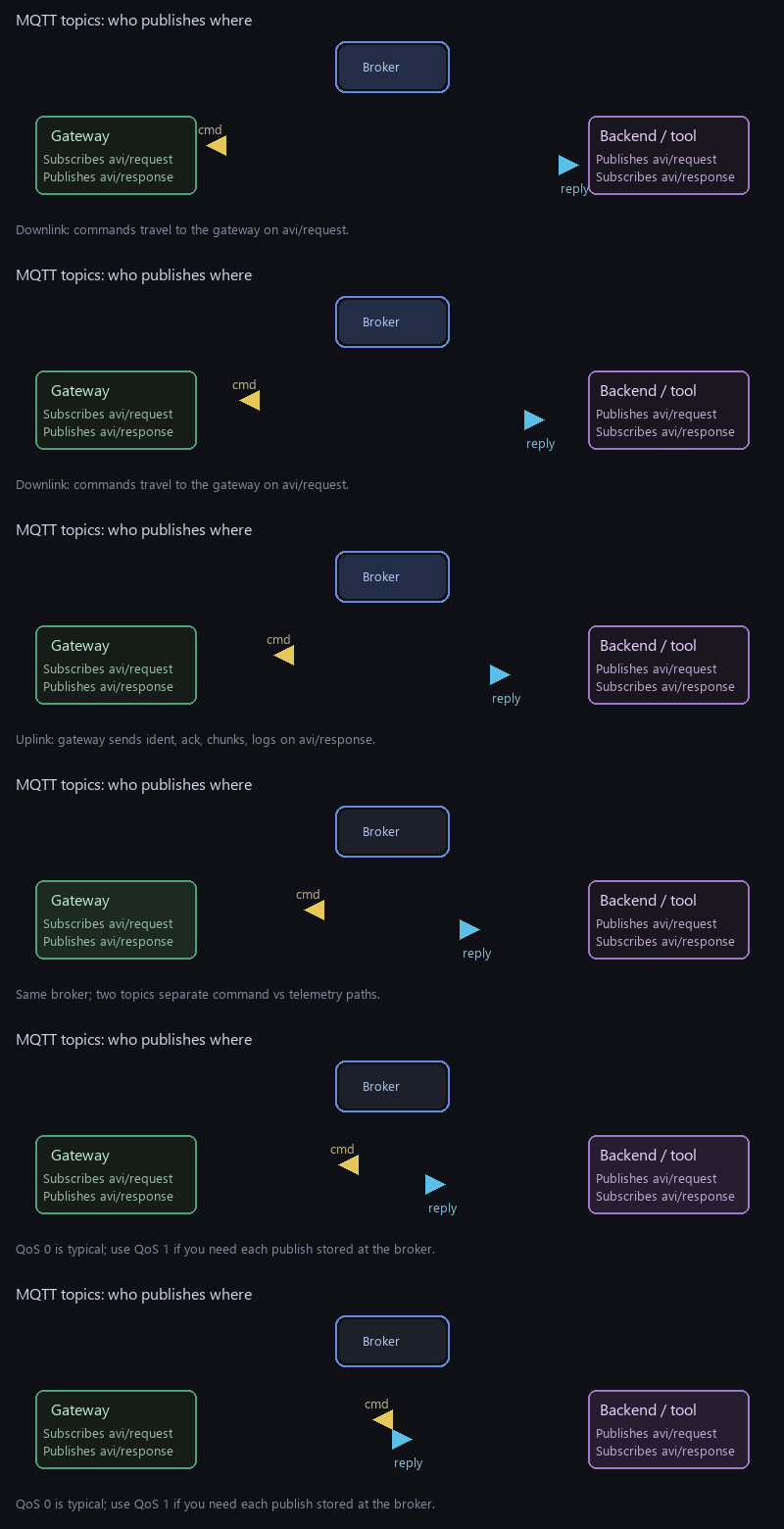
Think of avi/request as the downlink topic (toward the gateway) and avi/response as the uplink topic (from the gateway). QoS is typically 0 for lowest latency; use QoS 1 on both sides if you need broker-level persistence for each publish.

Integration tip: Your backend should publish commands to avi/request and subscribe to avi/response to receive every gateway-originated message. If you use a desktop test tool, confirm it uses the same topic pairing as your production bridge—some tools default to publishing on the wrong topic during development.
End-To-End MQTT Data Flow
flowchart LR
  subgraph Backend
    PUB_REQ[Publish avi/request]
    SUB_RES[Subscribe avi/response]
  end
  subgraph Broker[MQTT broker]
    T1[avi/request]
    T2[avi/response]
  end
  subgraph Gateway
    SUB_REQ[Subscribe avi/request]
    PUB_RES[Publish avi/response]
  end
  PUB_REQ --> T1 --> SUB_REQ
  PUB_RES --> T2 --> SUB_RES
              

Common Header: Device And TransNumber

Every message in this specification—whether sent by the backend or by the gateway—includes the same two top-level fields alongside function:

  • device — identifies the product line and the gateway instance: flag (e.g. "AVI") and serialNumber (unique device id). This allows multi-tenant brokers to filter or route by serial without parsing the rest of the JSON.
  • transNumber — a numeric transaction id (integer). It ties together a request, any intermediate steps, and the final ack/nack or streamed chunks for that operation.

Documentation convention: all examples on this page use "transNumber": 1001 so you can see at a glance that the same id must appear on both sides of a conversation. In production you assign a new value per operation (monotonic counter, timestamp-derived id, or random 16-bit value—whatever fits your ops policy), but the rule stays the same: backend and gateway echo the same transNumber for that operation’s complete lifecycle.

Canonical Header Fragment (Present In Every Message)

"device": {
  "flag": "AVI",
  "serialNumber": "0123456789ABCDE"
},
"transNumber": 1001,

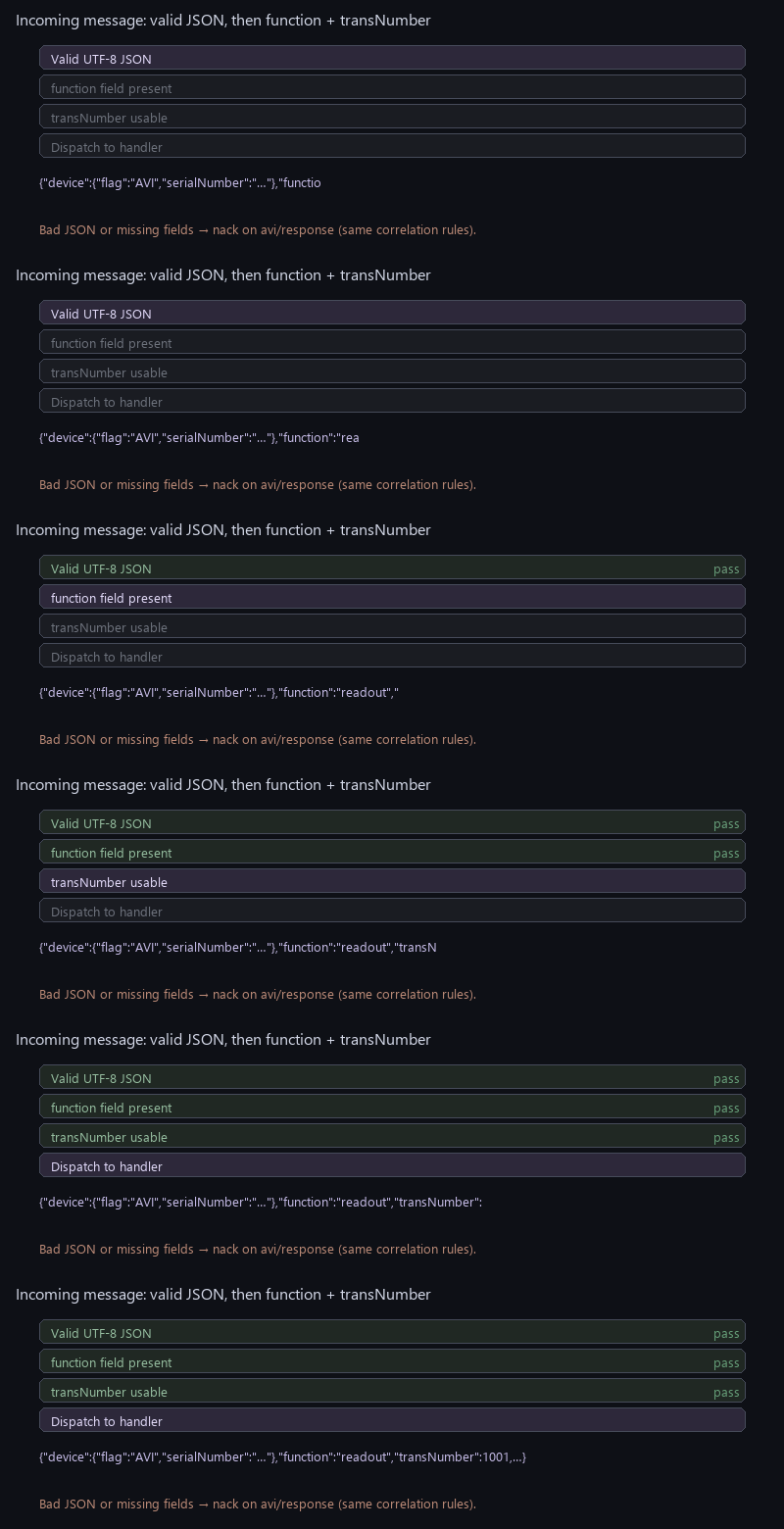
The gateway rejects or negatively acknowledges payloads that are not valid JSON, omit function, or omit a usable transNumber where the stack requires it for dispatch—so always send a complete header for predictable behaviour.

Session Model

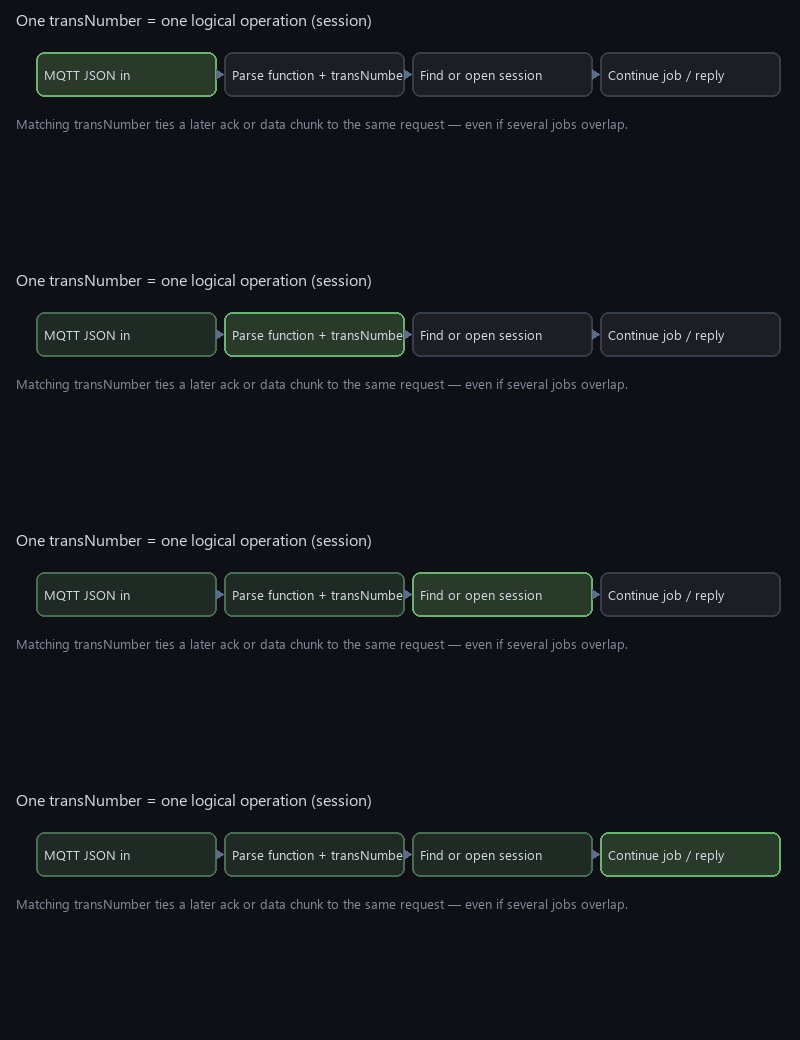
The gateway maintains a small pool of concurrent sessions (bounded, e.g. eight). When a JSON message arrives on avi/request, the runtime reads transNumber. If that number matches an already-active session, the payload is treated as the next step for that session (for example, the backend’s ident reply matching an outbound ident). If not, a new session is created for that function and transNumber. Ident is special: the gateway opens the session and publishes ident on avi/response first; the matching server message returns on avi/request with the same transNumber. Sessions expire after a configurable timeout if work does not complete, so stalled operations do not block the gateway forever.

This mirrors how operators think about work orders: one transNumber = one logical ticket from “request accepted” through “data delivered” or “failed with nack”.

Gateway Task Loop (Conceptual)
flowchart LR
  subgraph Loop
    T[Session timeouts]
    M[MQTT message queue]
    E[Internal events e.g. scheduled alive]
  end
  T --> M
  M --> D[Dispatch JSON]
  E --> P[Publish on avi/response]
              
Incoming Message Dispatch
flowchart TD
  J[JSON payload] --> V{Valid JSON?}
  V -->|no| N[Publish nack on response topic]
  V -->|yes| F[Read function + transNumber]
  F --> X{Session exists for transNumber?}
  X -->|yes| R[Continue that session]
  X -->|no| C[Open new session]
              

Message Types (Function String)

FunctionPurpose
identGateway → avi/response: identity and pull info; server → avi/request: same transNumber, response.registered confirms registration.
aliveHeartbeat with current device time (about every 15 minutes while registered).
logFetch system log text in chunks.
readoutTrigger a meter readout job; results stream back as JSON chunks.
loadprofileLoad-profile acquisition over a date range.
directiveListList stored metering directives (filter supported).
settingrequest.mqtt (broker, port, auth, topics)—persisted; request.meters[] for add/remove—see §8.
fwUpdateFirmware download: request.address is an FTP URL; gateway ACKs then starts the SW-update task.
directiveAddInstall a directive JSON under request.directive.
directiveDeleteRemove a directive by id in request.filter.id.
ack / nackPositive or negative acknowledgement of a request (gateway → avi/response).

Flow Animations

The following animations illustrate topic direction, session correlation, readout sequencing, and JSON validation—conceptual aids for readers, not wire captures.

MQTT topics
Topics: commands on avi/request, gateway replies on avi/response (animated arrows).
Session
Session pipeline: each transNumber is parsed, matched to a session, then handled or continued.
Readout
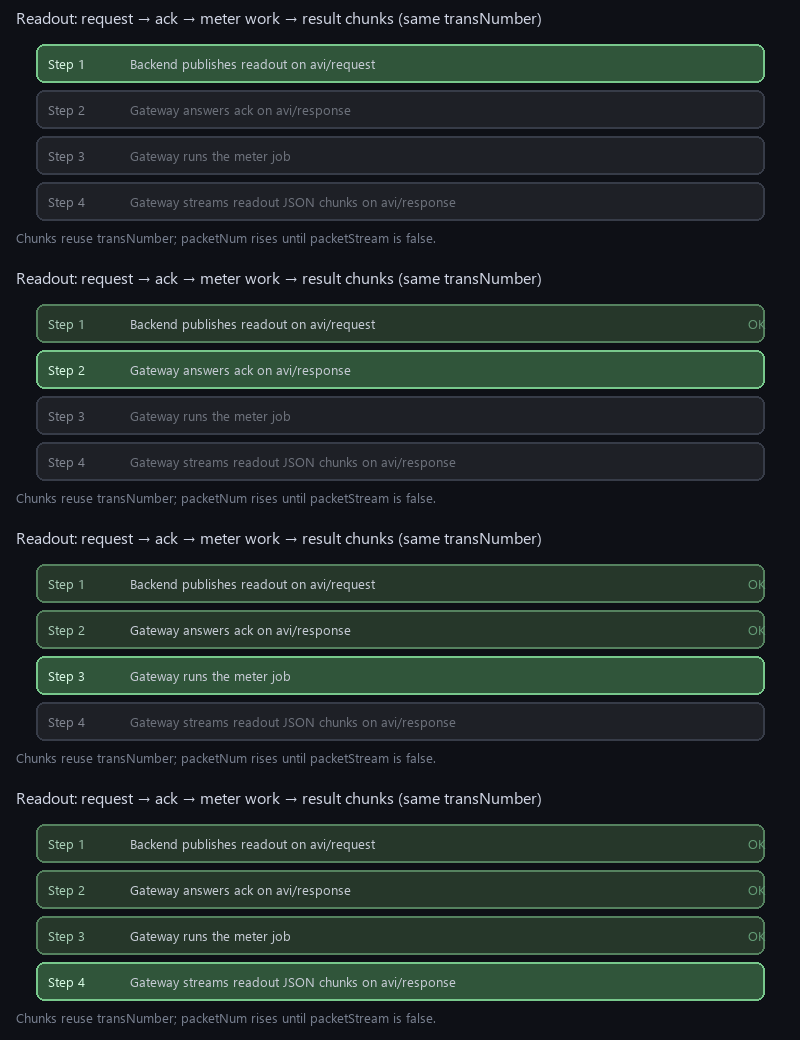
Readout: four steps light in order — request, ack, meter job, then streamed JSON chunks (same transNumber).
Dispatch
Dispatch: JSON validity, then function and transNumber checks, before the handler runs.

1. Ident — Device First, Then Server Reply

The gateway opens an ident session: it publishes first on avi/response with a chosen transNumber. The backend answers on avi/request with the same transNumber, "function": "ident", and response.registered (boolean): true means the device is registered on the server. The outbound ident uses the same key response.registered as a local hint (persisted state on the device) before the server confirms.

Include the common header (device + transNumber). Here transNumber is 1001 for illustration; server replies must reuse it so the gateway can match the message to the pending ident session (rgSessionProcessIdentSession validates transNumber, function, and response.registered).

Example — Gateway → Backend (avi/response)

{
  "device": {
    "flag": "AVI",
    "serialNumber": "0123456789ABCDE"
  },
  "function": "ident",
  "transNumber": 1001,
  "response": {
    "registered": false,
    "brand": "AVI",
    "model": "AVIO2622",
    "deviceDate": "2026-04-01 14:30:00",
    "pullIP": "192.168.1.50",
    "pullPort": 2622
  }
}

Example — Backend → Gateway (avi/request) ident reply

Same transNumber as the outbound ident; response.registered is the server’s registration result.

{
  "device": {
    "flag": "AVI",
    "serialNumber": "0123456789ABCDE"
  },
  "function": "ident",
  "transNumber": 1001,
  "response": {
    "registered": true
  }
}

2. Alive — About Every 15 Minutes (When Registered)

Periodic liveness proof while the device is registered: the gateway task schedules an alive publish at roughly 15-minute intervals (same session task loop cadence as the rest of Rigel MQTT). Each message is a compact JSON object with current wall-clock time (from the gateway’s clock). Backends use this for presence dashboards, SLA monitoring, or “last seen” timestamps without polling TCP.

Example — Gateway → Backend (avi/response)

{
  "device": {
    "flag": "AVI",
    "serialNumber": "0123456789ABCDE"
  },
  "function": "alive",
  "transNumber": 1002,
  "response": {
    "deviceDate": "2026-04-01 14:35:00"
  }
}

Uses its own transNumber per publish (here 1002 to distinguish from the ident example’s 1001).

3. Ack And Nack

After the gateway accepts or rejects a command, it publishes ack or nack. The same transNumber as the request (here 1001) must appear so the backend can match the answer to the original command without guessing from timestamps.

Example — Gateway → Backend (Ack)

{
  "device": {
    "flag": "AVI",
    "serialNumber": "0123456789ABCDE"
  },
  "function": "ack",
  "transNumber": 1001
}

Example — Gateway → Backend (Nack)

{
  "device": {
    "flag": "AVI",
    "serialNumber": "0123456789ABCDE"
  },
  "function": "nack",
  "transNumber": 1001
}

4. Log

Backend → Gateway (Request On Avi/Request)

The backend asks the gateway to upload recent system log text. Only function, transNumber, and the shared device header are required to start the operation; the gateway responds with one or more log packets on avi/response, each carrying packetNum, packetStream (whether more chunks follow), and the text under response.log.

Request

{
  "device": {
    "flag": "AVI",
    "serialNumber": "0123456789ABCDE"
  },
  "function": "log",
  "transNumber": 1001
}

Response — First Chunk (Gateway → Backend)

{
  "device": {
    "flag": "AVI",
    "serialNumber": "0123456789ABCDE"
  },
  "function": "log",
  "transNumber": 1001,
  "packetNum": 1,
  "packetStream": true,
  "response": {
    "log": "... up to ~700 characters of log text ..."
  }
}

Subsequent chunks keep transNumber: 1001 and increment packetNum until packetStream is false on the last chunk.

5. Readout

The backend names a directive (which metering script or recipe to run) and a meterId. The gateway acknowledges with ack (same transNumber), runs the meter job, then publishes one or more JSON packets with "function": "readout" and nested response.data containing id and readout text. Large results are split similarly to log streaming.

Readout Sequence
sequenceDiagram
  participant B as Backend
  participant G as Gateway
  participant M as Meter job
  B->>G: readout request transNumber 1001
  G->>B: ack transNumber 1001
  G->>M: Start readout task
  M-->>G: Complete
  G->>B: readout chunks transNumber 1001
              

Request — Backend → Gateway

{
  "device": {
    "flag": "AVI",
    "serialNumber": "0123456789ABCDE"
  },
  "function": "readout",
  "transNumber": 1001,
  "directive": "ReadoutDirective1",
  "meterId": "12345678"
}

Data Chunk — Gateway → Backend

{
  "device": {
    "flag": "AVI",
    "serialNumber": "0123456789ABCDE"
  },
  "function": "readout",
  "transNumber": 1001,
  "packetNum": 1,
  "packetStream": false,
  "response": {
    "data": {
      "id": "meter-id-string",
      "readout": "chunk text or full result ..."
    }
  }
}

6. Loadprofile

Same pattern as readout, with startDate and endDate strings defining the interval. Chunks use "function": "loadprofile" and the same transNumber throughout the operation.

Request — Backend → Gateway

{
  "device": {
    "flag": "AVI",
    "serialNumber": "0123456789ABCDE"
  },
  "function": "loadprofile",
  "transNumber": 1001,
  "directive": "ProfileDirective1",
  "meterId": "12345678",
  "startDate": "2021-06-22 00:00:00",
  "endDate": "2021-06-22 12:00:00"
}

Data Chunk — Gateway → Backend (Same Pattern As Readout)

{
  "device": {
    "flag": "AVI",
    "serialNumber": "0123456789ABCDE"
  },
  "function": "loadprofile",
  "transNumber": 1001,
  "packetNum": 1,
  "packetStream": false,
  "response": {
    "data": {
      "id": "meter-id-string",
      "readout": "profile interval data ..."
    }
  }
}

7. Directive List

Retrieves stored directives, optionally filtered. An empty filterId can mean “return all” depending on gateway configuration. The response carries directive content in the response object with streaming flags when the list is long.

Request — Backend → Gateway

{
  "device": {
    "flag": "AVI",
    "serialNumber": "0123456789ABCDE"
  },
  "function": "directiveList",
  "transNumber": 1001,
  "filterId": ""
}

Response — Gateway → Backend (Illustrative)

{
  "device": {
    "flag": "AVI",
    "serialNumber": "0123456789ABCDE"
  },
  "function": "directiveList",
  "transNumber": 1001,
  "packetNum": 1,
  "packetStream": false,
  "response": {
    "directive": "{ \"id\": \"Example\", \"steps\": [] }"
  }
}

8. Setting (MQTT and Meters)

The backend sends a request object. Optional mqtt configures the control-plane broker: broker (hostname or IP; ip is an alias), port, optional userName / password, and optional requestTopic / responseTopic (defaults avi/request and avi/response if omitted). Values are persisted in rg_session_server.dat; the gateway stops MQTT, reconnects to the new broker, and subscribes on the request topic.

Optional meters is an array of operations: add supplies a full meter record for appMeterOperationsAddMeter; remove deletes by meter.serialNumber (additional fields such as brand in the JSON are ignored for delete, as in ZD).

The gateway answers with a single ack or nack on the configured response topic (same transNumber). If any meter operation fails, the overall result is nack.

Request — Backend → Gateway (avi/request)

{
  "device": {
    "flag": "AVI",
    "serialNumber": "0123456789ABCDE"
  },
  "function": "setting",
  "transNumber": 1001,
  "request": {
    "mqtt": {
      "broker": "192.168.1.50",
      "port": 1883,
      "userName": "gw01",
      "password": "secret",
      "requestTopic": "avi/request",
      "responseTopic": "avi/response"
    },
    "meters": [
      {
        "operation": "add",
        "meter": {
          "protocol": "IEC62056",
          "type": "electricity",
          "brand": "MKL",
          "serialNumber": "12345678",
          "serialPort": "port-1",
          "initBaud": 300,
          "fixBaud": false,
          "frame": "7E1"
        }
      },
      {
        "operation": "remove",
        "meter": {
          "brand": "MKL",
          "serialNumber": "12345678"
        }
      }
    ]
  }
}

Response — Gateway → Backend (avi/response)

{
  "device": {
    "flag": "AVI",
    "serialNumber": "0123456789ABCDE"
  },
  "function": "ack",
  "transNumber": 1001
}
Note: mqtt and meters are independent—you may send only broker settings, only meter rows, or both. Inside mqtt, each field is optional: only keys present in the JSON update the corresponding runtime setting (broker, port, credentials, topics).

9. Firmware update (fwUpdate)

Same contract as ProtocolZD: request.address must be an FTP URL (ftp://…). The gateway publishes ack first, then parses the URL and calls the firmware update module with host, port, credentials, and remote path. A parse failure is logged; behaviour matches the ZD stack.

Request — Backend → Gateway

{
  "device": {
    "flag": "AVI",
    "serialNumber": "0123456789ABCDE"
  },
  "function": "fwUpdate",
  "transNumber": 1001,
  "request": {
    "address": "ftp://user:pass@192.168.1.50:21/pub/firmware.bin"
  }
}

Response — Immediate ack (then background FTP)

{
  "device": {
    "flag": "AVI",
    "serialNumber": "0123456789ABCDE"
  },
  "function": "ack",
  "transNumber": 1001
}

10. Directive add (directiveAdd)

The full directive document is placed under request.directive (same as ZD). The gateway returns ack if the directive is accepted, otherwise nack.

Request — Backend → Gateway

{
  "device": {
    "flag": "AVI",
    "serialNumber": "0123456789ABCDE"
  },
  "function": "directiveAdd",
  "transNumber": 1001,
  "request": {
    "directive": {
      "id": "ReadoutDirective1",
      "steps": [
        {
          "order" : 1,
          "operation": "setBaud",
          "parameter": 300
        },
        {
          "order" : 2,
          "operation": "setFraming",
          "parameter": "7E1"
        },
        .... more steps ...
      ]
    }
  }
}

11. Directive Delete (directiveDelete)

Deletes by directive id. Use a non-empty id; Delete all directives if id is "*".

Request — Backend → Gateway

{
  "device": {
    "flag": "AVI",
    "serialNumber": "0123456789ABCDE"
  },
  "function": "directiveDelete",
  "transNumber": 1001,
  "request": {
    "filter": {
      "id": "ReadoutDirective1"
    }
  }
}

12. Directive List (directiveList)

Lists all directives. Use a non-empty id; List all directives if id is "*".

Request — Backend → Gateway

{
  "device": {
  "flag": "AVI",
  "serialNumber": "0123456789ABCDE"
  },
  "function": "directiveList",
  "transNumber": 1001,
  "request": {
      "filter": {
      "id": "ReadoutDirective1"
    }
  }
}

Response Immediate — Gateway → Backend

{
  "device": {
    "flag": "AVI",
    "serialNumber": "0123456789ABCDE"
  },
  "function": "directiveList",
  "transNumber": 1001,
  "packetNum": 1,
  "packetStream": false,
  "response": {
    "directive": {
      "id": "ReadoutDirective1",
      "steps": [
        {
          "order" : 1,
          "operation": "setBaud",
          "parameter": 300
        },
        {
          "order" : 2,
          "operation": "setFraming",
          "parameter": "7E1"
        },
        .... more steps ...
      ]
    }
  }
}

Desktop Test Tool

A small graphical test application lives under the protocol Test_Server folder. It behaves like a backend: it subscribes to avi/response (gateway traffic) and publishes commands and ident replies to avi/request. Connect to any MQTT broker, install the Python MQTT client, then run with broker IP and port.

pip install paho-mqtt
cd Application/AppZMeterGw/Services/Protocol/Test_Server
python ProtocolRigelMq_TestServer.py
python ProtocolRigelMq_TestServer.py 192.168.1.10 1883

Use it to validate topic wiring, transNumber echo behaviour (including ident reply with the same id), and auto-reply options before you connect real gateways.

Test Server Screenshots

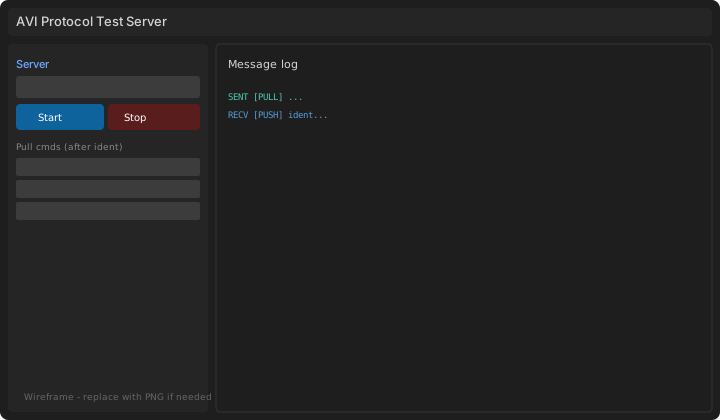
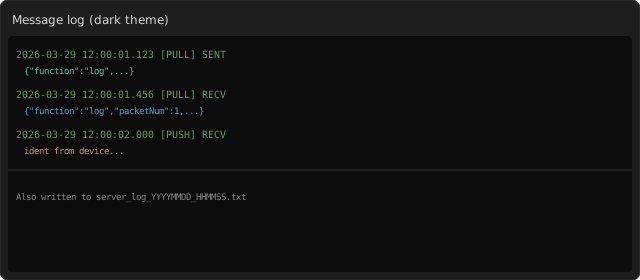
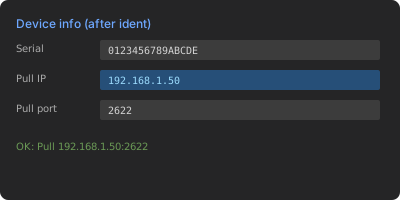
The test UI follows the same pattern as other Aviora protocol tools: broker connection on the left, device fields filled after the first ident on avi/response, optional automatic ident reply and acks for common types, and a dark log panel for copy/paste into tickets. Remember the tool mirrors a backend: it subscribes to avi/response and publishes commands to avi/request.

Main window
Main window. Broker fields, command list, JSON log.
Log
Log panel. Inbound and outbound JSON.
Ident
After ident. Serial and pull fields updated from JSON.

Sample Log Table (All Use TransNumber 1001 In This Documentation Scenario)

TimeDirTopicSummaryTransNumber
10:00:01avi/responseident1001
10:00:02avi/requestident (reply)1001
10:00:30avi/requestsetting (mqtt + meters)1002
10:00:31avi/responseack1002
10:01:00avi/requestreadout1001
10:01:01avi/responseack1001
10:01:05avi/responsereadout data chunk1001

Gateway Capabilities (Summary)

  • Persistence: registration plus setting / request.mqtt (broker, auth, topics) in rg_session_server.dat can survive reboot when enabled.
  • Configuration: setting adds or removes meters and updates MQTT via request.mqtt (persisted).
  • Directives: directiveList, directiveAdd, and directiveDelete map to the shared meter-operations directive store.
  • Streaming: log and meter file payloads are split into ~700-character chunks to stay within MQTT frame limits.
  • Sessions: concurrent operations with per-transaction timeout.
  • MQTT integration: incoming publishes are queued and processed on the gateway task; link-up queues an ident session (outbound ident on avi/response, reply on avi/request) if still unregistered.
  • Meter jobs: readout and load profile use the same meter-operations pipeline as other Aviora protocol stacks.

Public API (Gateway Firmware)

Lifecycle and events exposed to the rest of the gateway software. appProtocolRigelMqInit only takes the serial number; broker, topics, device IP, and pull port come from rg_session_server.dat when present, otherwise defaults from RG_RIGEL_DEFAULT_* in AppProtocolRigelMq.h (file is then created).

appProtocolRigelMqInit(serialNumber);
appProtocolRigelMqStart();
appProtocolRigelMqStop();
appProtocolRigelMqSendEvent(RG_SESSION_EVENT_ALIVE);
/* or */ appProtocolRigelMqSendEvent(RG_SESSION_EVENT_FW_UPGRADE_SUCCESS);

Typical limits: JSON payload buffer on the order of 1 KB per message, chunk size ~700 characters for streamed bodies, several concurrent sessions, session timeout on the order of tens of seconds (product-specific constants apply).