What The Generator Does
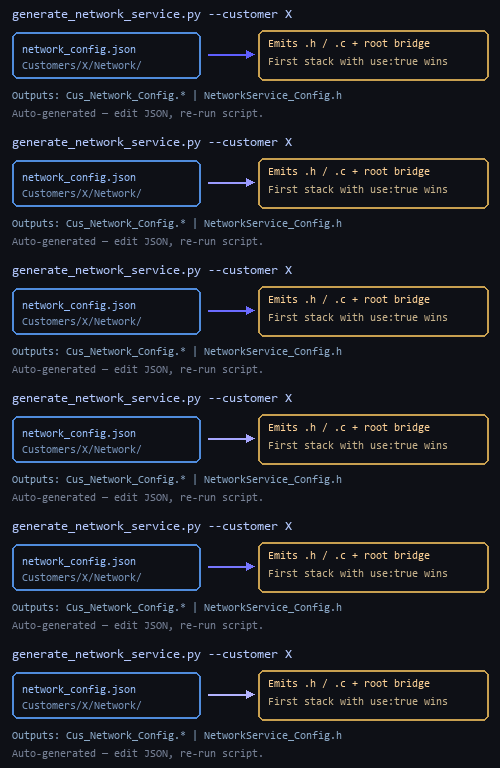
Run the script from the repository root (or any working directory, using paths relative to where you invoke Python). Pass --customer <FolderName> where FolderName matches Customers/<FolderName>/Network/network_config.json. The generator parses JSON only; it does not guess missing fields.
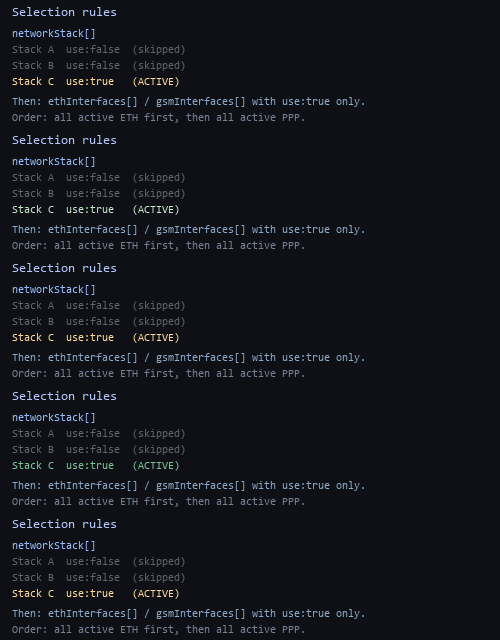
Inside networkStack, the tool selects the first object whose use field is exactly true. Every other stack entry is ignored for code generation. That chosen stack defines which TCP/IP integration you build (CycloneTcp, Linux, lwIP profile, etc.), its init header and function name, and the interfaces subtree.
Under interfaces, only two arrays matter today: ethInterfaces and gsmInterfaces. Within each array, only entries with use: true become active. The generator assigns global interface indices in order: all active Ethernet entries first (in array order), then all active PPP/GSM entries (in array order). Those choices drive macro names (for example ETH_ vs ETH0_/ETH1_ when multiple links exist) and the call order in networkServiceStartInterfaces().
PS> cd C:\Users\...\Aviora
PS> python Customers/generate_network_service.py --customer LinuxGcc

- Generated network service for customer: LinuxGcc
- ...\Customers\LinuxGcc\Network\Cus_Network_Config.h
- ...\Customers\LinuxGcc\Network\Cus_Network_Config.c
- ...\Customers\NetworkService_Config.h
Generated Files And Who Consumes Them
| File | Role | Consumed By |
|---|---|---|
Customers/<customer>/Network/Cus_Network_Config.h |
Defines NET_INTERFACE_COUNT, stack name and version, paths to stack config, DHCP/DNS flags, NET_STACK_STACK_INIT_FUNCTION, and per-interface macros (IP, driver hooks, manager function names, etc.) derived from JSON.
|
Included by Cus_Network_Config.c and, indirectly, by anything that needs the macros after including the customer bridge. Interface modules (Ethernet/PPP managers) implement the functions whose names appear in the macros.
|
Customers/<customer>/Network/Cus_Network_Config.c |
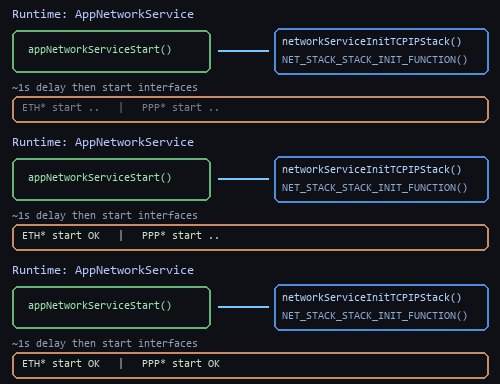
Implements networkServiceInitTCPIPStack() (calls the stack init macro when present) and networkServiceStartInterfaces() (OR-combines return codes while calling each active interface’s start macro in Ethernet-then-PPP order).
|
The network service layer (AppNetworkService) calls these two functions during startup. You normally add the generated .c file to the build for that customer.
|
Customers/NetworkService_Config.h |
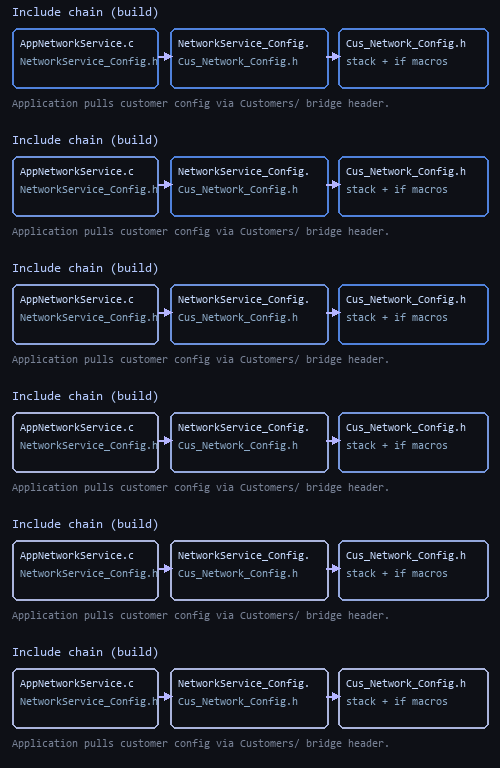
A single line including "<customer>/Network/Cus_Network_Config.h" so the application has one stable include path regardless of which customer tree is active.
|
AppNetworkService.c includes ../../../../Customers/NetworkService_Config.h. Switching customers is therefore a build or configuration step that points at the right generated bridge—not a sweep through application sources.
|
network_config.json, run generate_network_service.py, commit the three generated files. Do not hand-edit generated C/H files; they will be overwritten and your changes will be lost.